 0
0
 0
0
Artificial Intelligence is no longer a future trend—it’s a present-day opportunity. If you want to build a flexible income stream, learning how to start AI freelancing step by step can open doors to high-paying clients and global work opportunities. In 2026, businesses are actively looking for freelancers who can use AI tools to save time, automate tasks, and deliver faster results.
Why AI Freelancing Is Booming in 2026
AI has transformed how businesses operate. From content creation to automation and data analysis, companies are outsourcing these tasks to skilled freelancers. The demand is growing because:
- Businesses want cost-effective solutions
- AI tools reduce manual work
- Freelancers can deliver faster results
- Small companies need AI but lack in-house expertise
This creates the perfect environment for beginners to enter the market and start earning quickly.
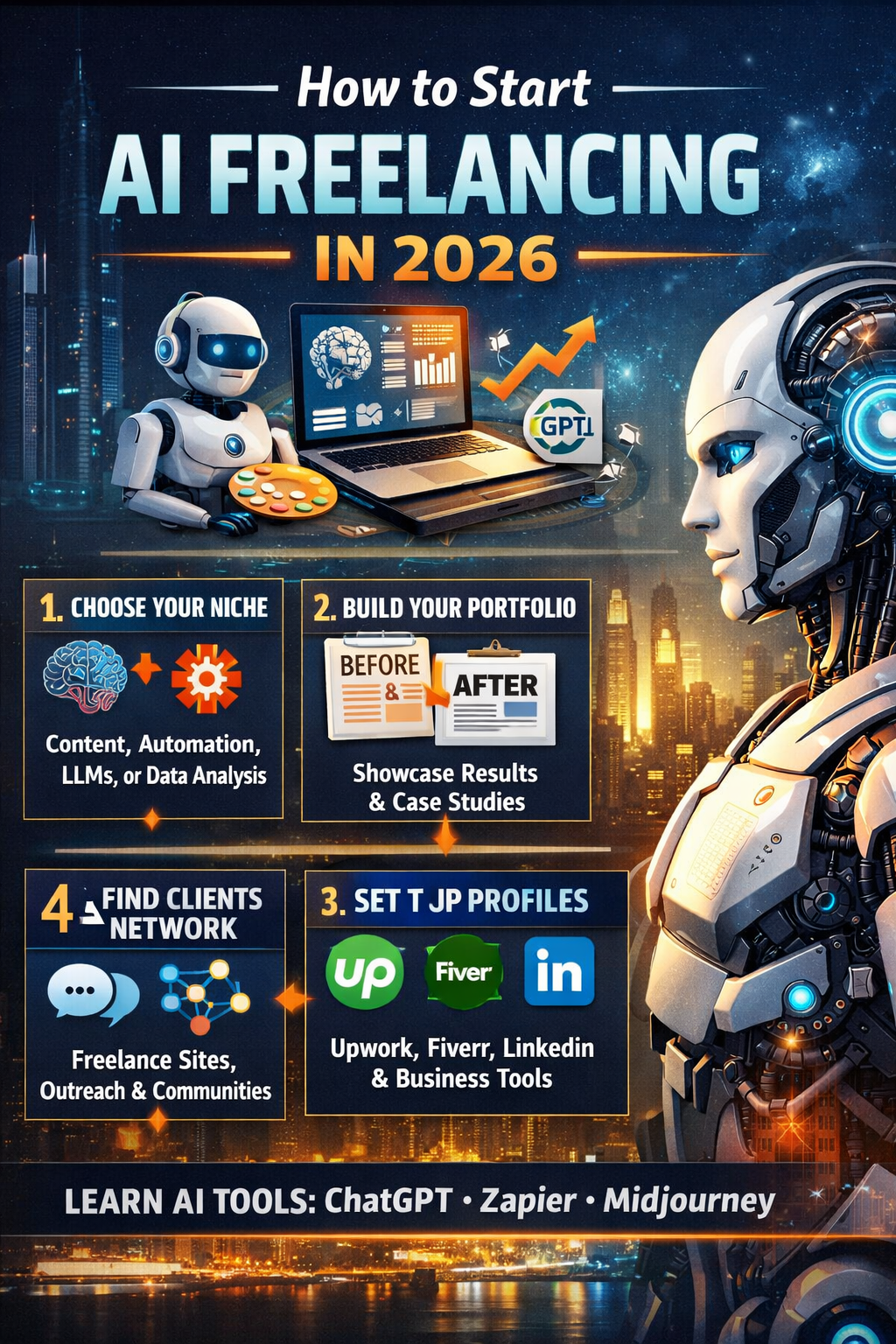
Step 1: Choose Your AI Niche
The biggest mistake beginners make is trying to do everything. Instead of calling yourself an “AI expert,” focus on one specific area where you can provide clear value.
High-Demand AI Niches in 2026
- Content Generation: Writing blog posts, ad copy, product descriptions, or creating AI-generated images
- AI Automation & Agents: Automating workflows using tools like Zapier or Make.com
- LLM Prompt Engineering/Implementation: Building custom chatbots or AI assistants for businesses
- Data Analysis: Using AI to generate insights, reports, and predictions
Choosing a niche helps you stand out and makes it easier for clients to understand what you offer.
Step 2: Build a Portfolio of “Before & After” Results
Clients don’t care about tools they care about outcomes. Your portfolio should clearly show how your work solves problems.
How to Create a Strong Portfolio
- Create 3–5 sample projects
- Use fictional or small business examples
- Show “before and after” improvements
- Explain how your work saves time or increases revenue
Example Ideas
- Write a blog post using AI and compare it to a manual version
- Automate a simple business workflow
- Create AI-generated marketing content
- Build a chatbot for customer support
Where to Showcase Your Work
- LinkedIn profile
- Personal website
- Notion portfolio page
A results-driven portfolio builds trust and helps you charge higher rates.
Step 3: Set Up Your Professional Presence
To succeed in AI freelancing, you need to look professional and trustworthy from day one.
Create Freelance Profiles
Sign up on platforms like:
- Upwork
- Fiverr
- Freelancer
Optimize your profile with:
- Clear niche description
- Strong headline
- Portfolio samples
- Client-focused language
Optimize LinkedIn
LinkedIn is one of the most powerful tools for freelancers. Use it to:
- Share your AI projects
- Connect with business owners
- Post insights about AI trends
- Showcase your expertise
Set Up Business Basics
- Professional email address
- Payment systems like Stripe or PayPal
- Simple invoicing tools
These small steps make a big difference in building credibility.
Step 4: Find Initial Clients & Start Networking
Getting your first client is the hardest part but once you do, everything becomes easier.
Start with Low-Barrier Projects
- Apply for small jobs on freelance platforms
- Offer competitive pricing initially
- Focus on getting positive reviews
Use Direct Outreach
Reach out to small business owners and offer specific solutions.
Instead of saying:
“I provide AI services”
Say:
“I can automate your customer inquiries using AI and save you 10+ hours per week.”
This approach is much more effective.
Join Communities
Engage in online communities to learn and find opportunities:
- Reddit groups like r/AI_Agents
- Discord servers focused on AI
- Freelancing forums
Networking often leads to hidden opportunities.
Essential AI Tools You Should Learn
To succeed in how to start AI freelancing step by step, mastering the right tools is critical.
Must-Have AI Tools
- ChatGPT – Content creation and automation
- Zapier – Workflow automation
- Midjourney – AI image generation
- Make.com – Advanced automation
- Google AI tools – Data and analytics
You don’t need to master everything focus on tools relevant to your niche.
Trending AI Freelancing Content & Insights (2025–2026)
Here are some important trends and insights shaping AI freelancing:
- AI freelancers are earning higher hourly rates due to demand
- Automation services are among the fastest-growing niches
- Businesses prefer freelancers who offer complete solutions
- Prompt engineering and AI integration are becoming premium skills
- Freelancers who show results (not tools) get more clients
These trends show that specialization and value delivery are key to success.
How to Price Your AI Freelancing Services
Pricing can be confusing at the start, but here’s a simple approach:
Beginner Pricing Strategy
- Start with lower rates to build reviews
- Offer fixed-price packages
- Focus on value, not hours
Example Pricing
- AI blog writing: $20–$100 per article
- Automation setup: $50–$300 per project
- Chatbot creation: $100–$500+
As your experience grows, increase your rates based on results and demand.
Common Mistakes to Avoid
Many beginners fail because of simple mistakes. Avoid these:
- Trying to learn everything at once
- Not choosing a niche
- Ignoring portfolio building
- Focusing on tools instead of results
- Giving up too early
Consistency and focus are the real keys to success.
Final Thoughts
Learning how to start AI freelancing step by step in 2026 is one of the smartest career moves you can make. The barrier to entry is lower than ever, and the demand is growing rapidly.
Start by choosing a niche, build a strong portfolio, set up your professional presence, and actively look for clients. Focus on delivering real results, and your freelance business will grow faster than you expect.


